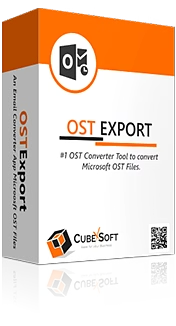
CubexSoft OST Converter is a powerful and versatile software tool compatible with both Windows and Mac platforms, engineered to efficiently convert Microsoft Outlook OST files into more than 20 diverse file formats and cloud-based platforms. This solution enables seamless extraction, export, and migration of complete OST mailbox data — including emails, contacts, calendars, tasks, notes, and attachments — regardless of the OST file’s condition, whether orphaned, corrupted, or encrypted. Without requiring an active Exchange Server or Outlook installation, CubexSoft OST Converter supports direct migration to popular email services like Office 365, Gmail, G Suite, IMAP, Exchange Server, and Outlook.com. Its batch conversion capability allows enterprise users and IT professionals to convert multiple OST files simultaneously while preserving original folder structures and metadata, ensuring data integrity and organization are maintained. The tool includes advanced filtering options, a preview pane for accurate data verification, and an intuitive user interface designed for easy usability by non-technical users, making it a comprehensive solution for efficient OST data management, migration, and backup.
Key Features
| Features | Description |
|---|---|
| Platform Compatibility | Available for both Windows and macOS for consistent cross-platform usage |
| Comprehensive Data Conversion | Exports all OST mailbox components including emails, contacts, calendars, tasks, notes, and attachments |
| Wide Range of Output Formats | Supports over 20 file formats including PST, PDF, MBOX, EML, MSG, NSF, HTML, and TXT |
| Direct Cloud Migration | Enables direct export to Office 365, Gmail, G Suite, IMAP, Exchange Server, and Outlook.com |
| Batch Conversion Mode | Supports folder mode to add and convert multiple OST files simultaneously |
| Preservation of Folder Hierarchy & Metadata | Maintains original folder structure, email formatting, read/unread status, timestamps, and metadata |
| Preview Functionality | Built-in email viewer to preview emails and attachments before conversion |
| Support for Problematic OST Files | Handles orphaned, corrupted, encrypted OST files without dependency on Exchange Server or Outlook |
| Advanced Filtering & Naming Options | Filter emails by date, subject, sender, and recipient; apply naming conventions for output files |
| User-Friendly Interface | Step-by-step guidance and clean UI ensures easy operation for non-technical users |
| Free Demo Version | Available for testing limited conversions on both Windows and Mac platforms |
| Attributes | Description |
|---|---|
| Supported Operating Systems | Windows and macOS |
| Supported OST File Conditions | Orphaned, encrypted, corrupted, connected to configured Outlook profile |
| Output Formats Supported | PST, PDF, MBOX, EML, MSG, NSF, HTML, TXT, and others (20+ total) |
| Cloud Platforms Supported | Office 365, Gmail, G Suite, IMAP, Exchange Server, Outlook.com |
| Batch Conversion | Yes, supports folder mode for multiple OST files |
| Metadata Preservation | Yes, including email properties, folder hierarchy, read/unread status, timestamps |
| Preview Feature | Allows viewing emails and attachments before conversion |
| Filtering Options | Date range, subject, sender, recipient |
| Encryption Handling | Supports conversion of password-protected OST files |
| Trial Version Availability | Free trial with limited conversion per folder |
| User Interface | Clean, intuitive design with step-by-step guidance |
*Disclaimer: The above description has been AI-generated and has not been audited or verified for accuracy. It is recommended to verify product details independently before making any purchasing decisions.
Yes, it supports direct migration to popular cloud platforms such as Office 365, Gmail, G Suite, IMAP, Exchange Server, and Outlook.com.
Absolutely, the software is specifically designed to handle orphaned, corrupted, and encrypted OST files without requiring an active Exchange Server or Outlook installation.
Yes, it includes a batch conversion mode using folder mode which enables users to add and convert multiple OST files at once, ideal for enterprise use.
Yes, CubexSoft OST Converter maintains the original email folder hierarchy, metadata such as sender and recipient details, read/unread status, timestamps, and formatting.
CubexSoft OST Converter offers advanced filtering options allowing users to filter emails by date range, subject, sender, or recipient to streamline the conversion process.
Yes, the software provides a built-in preview window where all emails and attachments from the OST file can be reviewed prior to starting the conversion.
Indeed, the converter is developed for both Windows and macOS, delivering a consistent user experience across platforms.
Yes, a free demo version is available which allows converting a limited number of items per folder to assess the software’s speed, accuracy, and features before purchasing.
Country Of Origin: India
CubexSoft OST
Converter for Mac & Windows is a robust and efficient software solution
designed to convert Microsoft Outlook OST files into a wide range of file
formats and cloud-based platforms. Compatible with both Windows and macOS, this
all-in-one utility allows users to access, export, and migrate OST mailbox data,
whether it’s orphaned, encrypted, corrupted, or still connected to a configured
Outlook profile, without the need for an active Exchange Server or Outlook
installation.
With support for over
20 output formats and services, CubexSoft OST Converter delivers complete
flexibility for users who want to migrate their data to different email
platforms or create secure backups in universally readable formats.
Dual Platform Support: Available for both Windows and Mac, ensuring a consistent and
reliable experience across operating systems.
Comprehensive OST File Conversion: Converts complete OST mailbox data including emails, contacts,
calendars, tasks, notes, and attachments.
Supports 20+ Export Options: Export OST files to PST, PDF, MBOX, EML, MSG, NSF, HTML, TXT, and
more. Direct migration supported to Office 365, Gmail, G Suite, IMAP, Exchange
Server, and Outlook.com.
Batch Conversion Mode: Add and convert multiple OST files at once using folder mode, ideal
for enterprise users and IT professionals.
Preserves Folder Structure &
Metadata: Maintains original email formatting,
folder hierarchy, metadata (To, From, Subject, etc.), read/unread status, and
timestamps.
Preview Before Conversion: Built-in viewer allows users to preview all email data and
attachments before initiating the conversion.
Handles Orphaned, Corrupted &
Encrypted OST Files: Works smoothly with OST files
that are damaged, disconnected from the server, or password-protected.
Advanced Filtering & Naming Options: Filter data by date range, subject, sender, or recipient. Apply
naming conventions for easier file management post-conversion.
User-Friendly Interface: Designed for non-technical users, with step-by-step guidance and a
clean interface for hassle-free operation.
Free Trial Available
A free demo version of CubexSoft OST
Converter is available for both Mac and Windows users. It allows conversion of
a limited number of items per folder, enabling users to evaluate features,
speed, and accuracy before purchasing the full version.
Inclusive of all taxes
You Save: 0
South West Delhi , India
Professional Services, Brand Owner
GST- 07aagcc9604h1zm
Stay informed with the latest market trends, quality guides, and industry analysis