Inclusive of all taxes
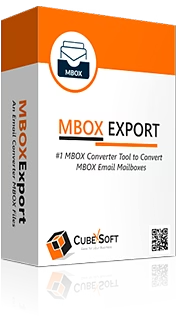
CubexSoft MBOX Converter for Mac & Windows is a robust, all-in-one software solution designed to convert MBOX files into multiple formats and popular cloud services with high precision and efficiency. Specifically engineered for both macOS and Windows platforms, this tool supports conversion from widely-used email clients such as Thunderbird, Apple Mail, Eudora, and Entourage. Users can convert entire mailbox data including emails, attachments, and metadata while preserving original formatting, headers, timestamps, and folder structures. The software enables exporting to over 25 file formats including PST, PDF, EML, MSG, HTML, NSF, and DOC, alongside direct migration options to cloud services like Office 365, Gmail, G Suite, Exchange Server, and IMAP. The CubexSoft MBOX Converter streamlines batch processing by allowing multiple MBOX files to be converted simultaneously using folder mode, thus enhancing productivity. Advanced customization features include date and subject filtering, output file naming conventions, and a built-in preview pane to verify content before conversion. Its intuitive interface caters to both technical and non-technical users, providing a seamless experience regardless of expertise level. Additionally, the tool handles orphaned and bulky MBOX files efficiently, supports large mailbox datasets, and comes with free lifetime updates and dedicated technical support, making it an ideal solution for organizations and professionals looking for dependable MBOX file conversion and migration.
Key Features
| Features | Description |
|---|---|
| Cross-Platform Compatibility | Fully supports both macOS and Windows operating systems |
| Wide Format Support | Converts MBOX files into 25+ formats including PST, PDF, EML, MSG, HTML, NSF, DOC |
| Cloud Service Integration | Migrates MBOX data directly to Office 365, Gmail, G Suite, Exchange Server, IMAP |
| Batch Processing | Allows loading and converting multiple MBOX files at once using folder mode |
| Data Integrity Preservation | Maintains email metadata such as headers, timestamps, attachments, and folder hierarchy |
| Advanced Filtering Options | Filters emails by date range and subject to customize the output selectively |
| Preview Functionality | Previews email contents and attachments before exporting for accuracy |
| User-Friendly Interface | Simple and intuitive interface suitable for users with or without technical expertise |
| Supports Orphaned & Bulk MBOX Files | Handles conversion of standalone or large volumes of MBOX files efficiently |
| Free Lifetime Updates & Support | Includes ongoing software updates and customer service assistance |
| Attributes | Description |
|---|---|
| Supported Platforms | macOS and Windows |
| Supported Input Formats | MBOX files from Thunderbird, Apple Mail, Eudora, Entourage, and others |
| Output Formats | PST, PDF, EML, MSG, HTML, NSF, DOC, and more than 25 other formats |
| Cloud Migration Options | Office 365, Gmail, G Suite, Exchange Server, IMAP |
| Maximum File Size Support | Supports large and complex MBOX mailbox files |
| Conversion Mode | Batch conversion via folder mode |
| Filtering Capabilities | Filter by date range and subject |
| Preview Feature | Email content and attachments preview before export |
| Trial Availability | Free trial with limited conversion per folder |
| Updates & Support | Free lifetime updates with prompt technical support |
*Disclaimer: The above description has been AI-generated and has not been audited or verified for accuracy. It is recommended to verify product details independently before making any purchasing decisions.
Yes, the software supports conversion of orphaned MBOX files, enabling users to convert MBOX files even if they are not linked to any email client.
CubexSoft MBOX Converter maintains the original email properties including folder hierarchy, headers, timestamps, and attachments during and after the conversion process.
Yes, using the folder mode, users can import and convert multiple MBOX files simultaneously to save time and streamline workflow.
The converter supports advanced filtering options allowing selection based on date ranges and email subjects to customize the export.
Yes, the built-in preview functionality lets users examine email content and attachments to ensure accuracy and selective conversion.
The software is designed to handle large and complex MBOX mailbox files efficiently without limitations on size.
CubexSoft offers separate versions for Mac and Windows, each fully compatible with their respective OS to ensure consistent functionality.
Country Of Origin: India
All-in-One Tool to Convert MBOX Files to Various Formats and Cloud Services
CubexSoft MBOX Converter is a versatile and reliable tool built to help users convert MBOX files across Mac and Windows platforms. Whether you're switching email clients or backing up your data in alternative formats or cloud services, this software ensures smooth, accurate, and efficient conversions. It enables the conversion of MBOX emails, including attachments and metadata, into a wide array of file types and popular email services, such as PST, PDF, EML, MSG, HTML, Office 365, Gmail, G Suite, Exchange Server, IMAP, and more.
Fully supports macOS and Windows, offering a consistent user experience across both platforms. CubexSoft offers a free trial version of the MBOX Converter for both Mac and Windows platforms. This demo version allows users to convert a limited number of emails per folder, making it easy to test performance, features, and compatibility before purchasing the full version.
Key Highlights of CubexSoft MBOX Converter
Why Choose CubexSoft MBOX Converter?
Try Before You Buy
Download the free trial version for Windows or Mac to test the features and performance. The trial version allows you to convert a limited number of items per folder, giving you a clear idea of the tool’s capabilities before purchasing the full license.
Inclusive of all taxes
You Save: 0
South West Delhi , India
Professional Services, Brand Owner
GST- 07aagcc9604h1zm